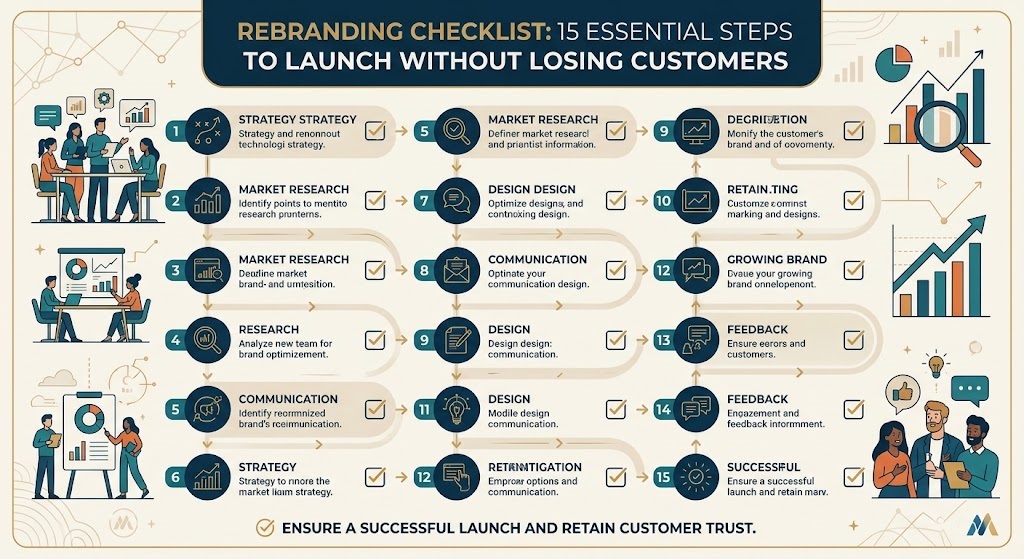

Rebranding Checklist: 15 Essential Steps to Launch Without Losing Customers
Rebranding your business is an opportunity to attract new customers, communicate your value more clearly and build a stronger market position. However, a successful rebrand involves much more than changing your logo or choosing new brand colours.
Without proper planning, businesses can confuse loyal customers, lose valuable website traffic, overlook important marketing assets and create inconsistent brand experiences.
This rebranding checklist walks you through 15 essential steps to help you plan, launch and manage a successful rebrand. From conducting a brand audit and choosing a new identity to updating your Google Business Profile, email signatures and website redirects, every step helps you protect your brand’s reputation and customer relationships.
Whether you’re a startup, an established company or a growing B2B business, use this practical brand rebranding checklist to organise your rebranding process and launch with confidence.
Table of Contents
Define your rebranding goals
Conduct a complete brand audit
Research your audience and competitors
Decide what to keep and what to change
Choose your brand name and messaging
Develop your new visual identity
Create a complete brand asset library
Plan your website and SEO migration
Set up redirects and update internal links
Update your Google Business Profile
Prepare your social media and marketing channels
Update email signatures and business documents
Align your employees and internal teams
Announce your rebrand to customers
Monitor results and optimise your new brand
What Is a Rebranding Checklist?
A rebranding checklist is a structured list of tasks that helps businesses manage a brand transformation from initial research to launch and post-launch evaluation.
It covers the strategic, creative, technical and communication activities required to introduce a new brand consistently across every customer touchpoint.
A comprehensive rebranding checklist typically includes:
Brand research and competitor analysis
Brand positioning, naming and messaging
Logo design and visual identity development
Website updates and search engine optimisation
Marketing materials and social media changes
Employee communication and customer announcements
Performance tracking and brand consistency checks
The goal is to make sure that every part of your business communicates the same brand identity without disrupting customer trust or business operations.
Why Does Your Business Need a Rebranding Checklist?
Rebranding often involves several departments, external partners, digital platforms and customer-facing materials. Without a clear plan, important details can easily be overlooked.
A well-organised checklist helps your business:
Maintain consistent branding across all channels.
Protect existing website traffic and search visibility.
Reduce customer confusion during the transition.
Coordinate employees, designers and marketing teams.
Avoid unnecessary delays and last-minute expenses.
Measure whether the new brand achieves its objectives.
The most overlooked details are often the most damaging: broken redirects, outdated Google Business Profile information, old email signatures and inconsistent branding on third-party platforms.
The 15-Step Rebranding Checklist
1. Define Your Rebranding Goals
Before changing your brand identity, establish why the business needs a rebrand.
Are you entering a new market, targeting a different audience, modernising an outdated identity or repositioning your business against competitors?
Your objectives will guide every decision throughout the rebranding process.
Your checklist:
Identify the business problems your rebrand should solve.
Define your target audience and desired market position.
Set measurable objectives for awareness, leads, conversions or customer retention.
Establish a realistic budget and launch timeline.
Assign responsibilities to the people managing the project.
For example, a B2B technology company expanding into enterprise markets may need a more professional identity, clearer messaging and a website that communicates expertise and trust.
Pro tip: Establish baseline performance before making changes. Record your current website traffic, conversion rate, branded search impressions, lead volume and customer sentiment so you can measure the impact later.
2. Conduct a Complete Brand Audit
A brand audit helps you understand how customers currently perceive your business and where inconsistencies exist.
Review every place where customers encounter your brand, including your website, social media, advertisements, sales documents, packaging and customer communications.
Your checklist:
Review your existing logo, colours, typography and brand guidelines.
Analyse website content, landing pages and customer journeys.
Check customer reviews, testimonials and feedback.
Review competitor positioning and visual identities.
Identify outdated designs, inconsistent messaging and underperforming assets.
Document which assets need to be replaced, improved or retained. This prevents unnecessary redesign costs and helps you prioritise the most important changes.
3. Research Your Audience and Competitors
A successful rebrand should be based on customer expectations and business objectives rather than personal design preferences.
Research what your audience values, which problems they need solved and how they compare your business with competitors.
Your checklist:
Interview existing customers and sales teams.
Review customer reviews and support enquiries.
Analyse competitor branding and messaging.
Identify gaps in your market positioning.
Create or update customer personas.
For example, if your audience values reliability and expertise, your new brand messaging should communicate those qualities consistently across your website, sales materials and marketing campaigns.
The research stage helps you create a brand that feels relevant to your audience while giving your business a clear competitive advantage.
4. Decide What to Keep and What to Change
Rebranding does not always mean starting from scratch. Some elements of your existing identity may already have strong recognition and customer loyalty.
Decide which parts of your brand should evolve and which should remain familiar.
Your checklist:
Identify recognisable brand elements worth retaining.
Decide whether your logo requires a refresh or a complete redesign.
Review your brand name, tagline and positioning.
Preserve valuable customer relationships and brand associations.
Document the reasoning behind major changes.
A gradual brand refresh may be appropriate when customers already recognise and trust your business. A more comprehensive rebrand may be necessary when your current identity no longer reflects your services, audience or strategic direction.
5. Choose Your Brand Name and Messaging
If your rebrand involves a new name, verify that the proposed name is suitable before investing in design, marketing or development.
Your name should be memorable, relevant to your business and practical to use across digital channels.
Your checklist:
Research name availability and potential conflicts.
Check relevant trademark requirements.
Review domain availability and social media handles.
Develop a clear value proposition and brand tagline.
Create consistent messaging for your website and marketing materials.
Before finalising a name, consider how customers will pronounce, spell and remember it. If your business serves multiple markets, assess whether the name works across those audiences.
For a name change, also plan how you will explain the transition to existing customers and business partners.
6. Develop Your New Visual Identity
Your visual identity brings your brand strategy to life. It should communicate your positioning consistently across digital and physical customer touchpoints.
Your checklist:
Design the primary logo and alternative logo variations.
Select brand colours and typography.
Define imagery, iconography and illustration styles.
Create website and social media design guidelines.
Test the identity across mobile, desktop and print applications.
Your logo is only one part of the identity. Your colours, typography, photography, layouts and visual tone should work together to create a recognisable experience.
Work with a professional branding team when you need a cohesive identity that supports your long-term business goals.
Explore Brands Design for branding and design support.
7. Create a Complete Brand Asset Library
One of the most common rebranding mistakes is launching a new identity without preparing all the files employees, partners and marketing teams need.
A complete brand asset library makes it easier to maintain consistency and prevents outdated materials from continuing to circulate.
Your checklist:
Export approved logo files in SVG, PNG and other required formats.
Prepare light, dark, horizontal and vertical logo variations.
Document colour codes and typography specifications.
Create social media profile images and cover graphics.
Update presentation templates and document layouts.
Organise approved assets in a shared, clearly labelled folder.
Include rules explaining which logo variations should be used on different backgrounds and in different applications.
Retire outdated files or clearly label them as obsolete so employees and suppliers do not accidentally reuse them.
8. Plan Your Website and SEO Migration
Your website is often the first place customers notice your rebrand. Changes to your design, messaging, domain or URL structure should be carefully planned to minimise disruption.
Before launch, identify every website element that needs to change and determine whether any URLs will be affected.
Your checklist:
Update the homepage, service pages and About page.
Revise page titles, meta descriptions and on-page messaging.
Replace old logos, favicons and brand images.
Update navigation, calls to action and contact details.
Review canonical tags, XML sitemaps and indexability.
Check forms, analytics, conversion tracking and integrations.
Keep valuable existing content where it remains relevant. Do not change URLs unnecessarily simply because the visual identity is changing.
If you are changing your domain or URL structure, create a migration plan before launch and consult Google’s official website migration guidance.
9. Set Up Redirects and Update Internal Links
Do not overlook this step. Broken redirects and outdated links can frustrate customers and interfere with search engines understanding your new website structure.
If a page moves to a new URL, visitors and search engines should be directed to the most relevant replacement.
Your checklist:
Export a list of existing website URLs.
Map each changed URL to its appropriate new destination.
Implement server-side permanent redirects, usually 301 redirects, when a page has permanently moved.
Update internal links to point directly to the new URLs.
Update canonical tags and XML sitemaps.
Test redirects, broken links, 404 errors and important landing pages.
Monitor Google Search Console after launch.
For example, if /old-brand-services/ becomes /branding-services/, redirect the old URL to the new equivalent rather than sending every old page to the homepage.
Avoid redirect chains, irrelevant redirects and redirecting pages to destinations that do not match their original content.
Google recommends keeping redirects in place for at least a year during a site move, and longer where practical. Review the Google Search Central redirect guidelines before implementing significant URL changes.
10. Update Your Google Business Profile
Your Google Business Profile is an important customer touchpoint for businesses that serve local markets. An outdated profile can create confusion when customers search for your business or look for directions and contact information.
Your checklist:
Update your business name if it has genuinely changed.
Replace the logo and cover image.
Review the business description and website URL.
Check telephone numbers, opening hours and address details.
Update relevant photos and other branding assets.
Ensure your business information remains consistent across directories.
Only update your business name to reflect your genuine business identity. Avoid adding keywords to the name unless they are actually part of the business’s real-world name.
After launch, review your profile to ensure the updated information appears correctly.
Use Google Business Profile Help for official instructions on managing your profile.
11. Prepare Your Social Media and Marketing Channels
Your rebrand should be consistent wherever customers interact with your business.
Updating only your website and primary social media profile can leave customers seeing multiple versions of your identity.
Your checklist:
Update profile pictures, cover images and banners.
Review bios, descriptions and business information.
Replace outdated branded graphics and templates.
Update advertising creatives and landing pages.
Review email marketing templates and automation.
Update relevant directory listings and partner profiles.
Check links in your social media profiles.
Create a channel-by-channel update schedule so your website, social media accounts and marketing campaigns change in a coordinated way.
Keep a record of accounts that require special access, manual verification or approval, as these may take longer to update.
12. Update Email Signatures and Business Documents
Email signatures, invoices and proposals are easy to forget because they are used daily and may be managed separately from marketing assets.
However, they are often among the most frequently seen representations of your brand.
Your checklist:
Replace old email signature logos and banners.
Update employee titles, contact details and company information.
Revise invoice and quotation templates.
Update proposals, contracts where appropriate and presentation decks.
Replace letterheads, business cards and stationery.
Review email footers, disclaimers and downloadable PDFs.
If your domain or email address is changing, plan the transition carefully. Maintain appropriate forwarding and communication arrangements so customers can still reach your team.
Create a standard signature template and distribute it to employees before launch day.
13. Align Your Employees and Internal Teams
Employees should understand the rebrand before customers see it. Internal alignment helps prevent inconsistent messaging and makes the transition easier for customer-facing teams.
Your checklist:
Explain why the business is rebranding.
Share the launch timeline with all relevant departments.
Provide updated brand guidelines and approved assets.
Train sales and support teams to answer customer questions.
Update internal presentations and onboarding materials.
Assign responsibilities for remaining changes.
Prepare a short internal FAQ covering the new brand name, positioning, key messages and any changes customers need to understand.
Give employees time to review the new materials and report inconsistencies before the public launch.
14. Announce Your Rebrand to Customers
A rebrand should be communicated clearly rather than appearing as an unexplained change.
Your announcement should explain what is changing, why it is happening and what customers can expect. Reassure existing customers that the quality of service, relationships and commitments they value will continue where applicable.
Your checklist:
Prepare a launch announcement for your website.
Send a customer email explaining the change.
Publish coordinated social media announcements.
Inform suppliers, partners and relevant stakeholders.
Update sales materials and customer-facing scripts.
Prepare answers to common customer questions.
For an established business, consider giving loyal customers advance notice before the public launch.
Avoid changing every communication channel at different times without a plan. A coordinated launch makes the new identity easier to recognise and understand.
15. Monitor Results and Optimise Your New Brand
Your rebranding process does not end when the new logo and website go live. Monitor performance to confirm that the transition is working as intended.
Your checklist:
Monitor organic traffic and search impressions.
Review rankings for important branded and service-related keywords.
Check Google Search Console for indexing and crawl issues.
Track enquiries, leads and conversion rates.
Monitor customer feedback and brand sentiment.
Check remaining old logos and inconsistent brand references.
Resolve broken links and technical problems promptly.
Compare performance against the baseline recorded before the rebrand. Investigate significant changes rather than assuming every fluctuation is caused by the new identity.
Schedule reviews at 7, 30 and 90 days after launch. Use the findings to fix problems, improve customer communication and strengthen brand consistency.
Downloadable 15-Step Brand Rebranding Checklist
Use the checklist below to track your progress from initial planning through launch and post-launch review.
1. Define your rebranding goals and success metrics.
2. Audit your current brand and customer touchpoints.
3. Research your audience and competitors.
4. Decide what to retain, refresh or replace.
5. Finalise your brand name and messaging.
6. Approve your new visual identity.
7. Prepare and organise all brand assets.
8. Plan website updates and SEO migration.
9. Map old URLs, implement redirects and update internal links.
10. Update your Google Business Profile.
11. Update social media, directories and marketing channels.
12. Replace email signatures and business documents.
13. Brief employees and align internal teams.
14. Announce the rebrand to customers and partners.
15. Monitor performance and fix post-launch issues.
Before you launch: Pay particular attention to redirects, Google Business Profile details, email signatures, old marketing files and customer communication. These small details are easy to miss but important for a smooth transition.
Common Rebranding Mistakes to Avoid
Even a carefully planned rebrand can run into problems if businesses overlook the practical details.
Changing the Logo Without Updating Other Assets
A new logo will not create a consistent identity if old colours, graphics and templates remain in circulation. Audit every customer-facing channel before launch.
Ignoring Website Redirects
Changing URLs without appropriate redirects can lead to broken pages and a poor user experience. Map old URLs to relevant destinations and test the redirects before publishing changes.
Forgetting Google Business Profile Updates
An outdated logo, business name or website link can make your business appear inconsistent across search results and local listings.
Overlooking Email Signatures
Old email signatures continue to circulate long after a website has been updated. Provide employees with approved templates and clear instructions.
Failing to Explain the Rebrand
Customers may wonder whether the company has changed ownership, discontinued a service or become a different business. Communicate the reasons for the change and what it means for them.
Measuring Design Instead of Business Results
A visually attractive identity is valuable, but it should also support business objectives. Monitor brand awareness, customer response, qualified leads and conversion performance.
How Long Does the Rebranding Process Take?
The timeline depends on the size of your business, the number of assets involved and whether you are changing your name, domain or website structure.
A small brand refresh may take a few weeks, while a comprehensive rebrand involving multiple departments, a new website and a domain migration can take several months.
A practical approach is to divide the work into four phases:
Research and strategy: Audit your brand, research customers and define your positioning.
Identity development: Create and approve your name, messaging and visual identity.
Preparation and launch: Update assets, test the website, prepare redirects and brief employees.
Monitoring and optimisation: Review performance, resolve issues and maintain brand consistency.
Build time for stakeholder approvals, technical testing and customer communication into your timeline. Rushing these activities can create avoidable problems after launch.
How to Create a Rebranding Checklist for Your Business
If you want to create a rebranding checklist tailored to your company, start by identifying the changes involved and the teams responsible for delivering them.
Follow these steps:
List every affected asset: Include websites, social accounts, documents, advertisements and customer communications.
Assign an owner: Give each task to a specific person or department.
Set deadlines: Establish due dates for approvals, updates and testing.
Prioritise critical tasks: Complete legal checks, website planning and essential customer communications before launch.
Define completion criteria: Decide how each task will be verified.
Track progress: Use a shared project board or spreadsheet.
Schedule post-launch checks: Review performance and outstanding updates after the new identity goes live.
For a more complex project, maintain a separate technical checklist for SEO, redirects, analytics, forms and website functionality.
This makes the rebranding process easier to manage and reduces the risk of overlooking essential tasks.
Final Thoughts
A successful rebrand requires more than a new logo. It needs a clear strategy, consistent visual identity, careful technical planning and effective customer communication.
By following this 15-step rebranding checklist, your business can organise the transition, protect valuable customer relationships and reduce the risk of avoidable website and marketing problems.
Remember to pay special attention to the details that businesses often forget: website redirects, Google Business Profile updates, email signatures, outdated marketing assets and post-launch monitoring.
If your business is preparing for a brand transformation, Brands Design can be a starting point for exploring branding and design services that support a more consistent business identity.
Frequently asked questions:
-
1. What should be included in a rebranding checklist?
A rebranding checklist should include brand research, positioning, naming, visual identity, asset preparation, website updates, SEO redirects, Google Business Profile updates, social media changes, email signatures, internal communication, customer announcements and performance monitoring.
-
2. How do you rebrand a business step by step?
Start by defining your goals and auditing your current brand. Research your audience, establish your positioning, develop the new identity, update business assets and prepare your website. Before launch, test redirects, update customer-facing platforms and communicate the changes. Finally, monitor results and resolve any issues.
-
3. How long does a business rebrand take?
A small refresh may take a few weeks, while a comprehensive rebrand can take several months. The timeline depends on the number of assets, stakeholder approvals, website changes and the complexity of the business.
-
4. Can rebranding affect SEO rankings?
Yes. Rebranding can affect SEO if it involves domain changes, URL restructuring, content removal or poorly implemented redirects. A visual refresh with unchanged URLs is generally less disruptive. Plan technical changes carefully, update internal links and monitor Google Search Console after launch.
-
5. What do businesses commonly forget during a rebrand?
Commonly overlooked items include 301 redirects, Google Business Profile details, email signatures, invoices, presentation templates, directory listings, third-party profiles, old downloadable documents and analytics tracking.
-
6. Should you tell existing customers about your rebrand?
Yes. Explain why the change is happening, what it means for customers and whether any services, contact details or processes are changing. Clear communication helps maintain trust and reduces confusion.
-
7. How can you measure the success of a rebrand?
Measure progress against your original goals. Relevant metrics may include brand awareness, customer feedback, branded search impressions, website traffic, qualified enquiries, conversion rates and customer retention. Review the results over time rather than relying on the initial launch response alone.